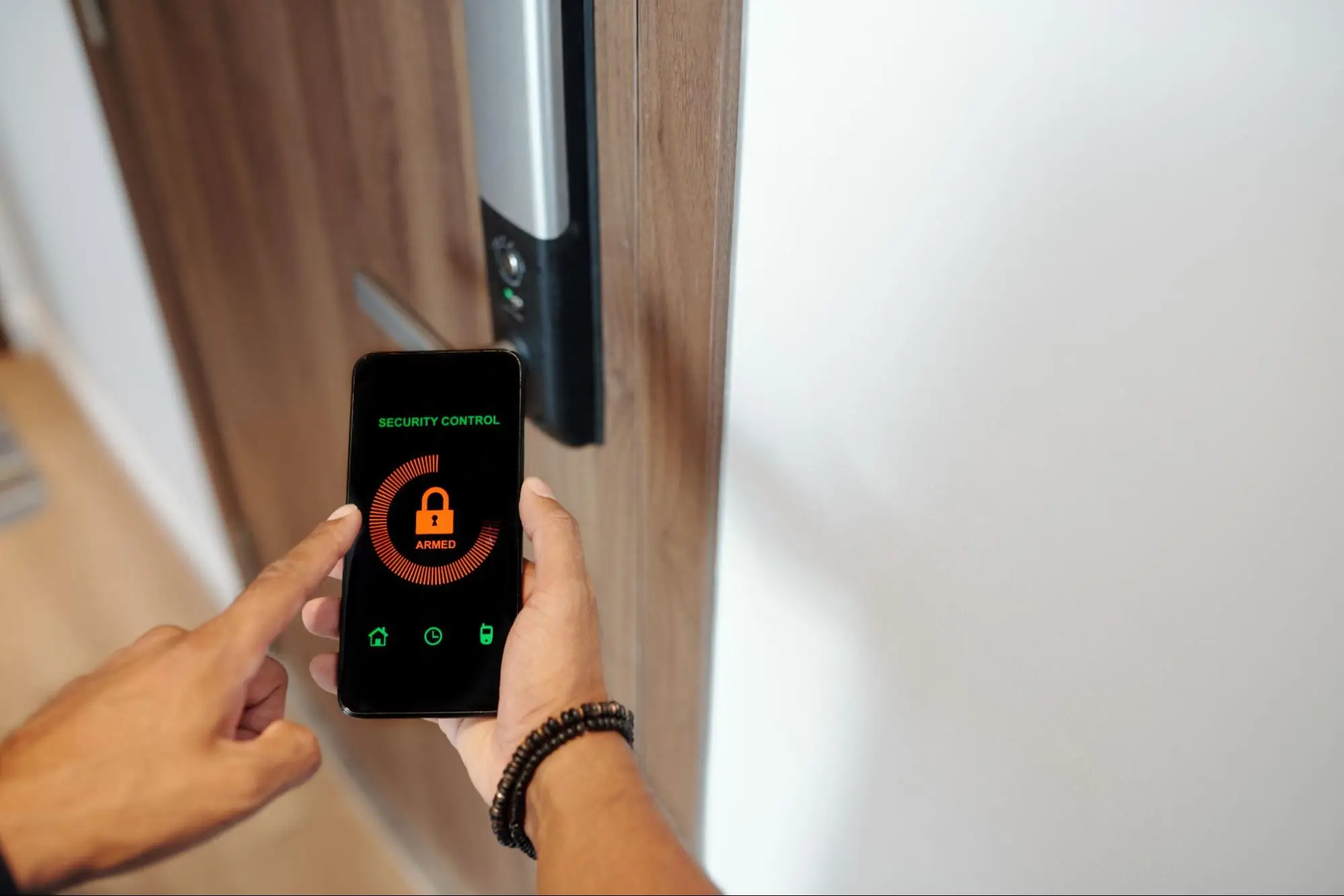
Are Smart Locks Worth It? The Best Smart Locks for Home in 2026
Smart locks are worth it for most homeowners. They add auto-locking, guest codes and remote access, though cost, batteries and door condition still matter.
A smart lock is one of the cheapest upgrades in home security, and one of the easiest to get wrong. Buy the wrong model and you end up with a keypad that dies in August heat, an app nobody in the family uses or a lock that won’t connect to the rest of your system.
This guide covers what smart locks really do well, where they fall short and which models stand out in 2026. It also covers what Gulf Coast homeowners in places like Victoria, Port Lavaca and Rockport should think about that a national review site won’t mention.
Key Takeaways
-
Auto-lock and remote lock checks fix the most common way homes get entered, which is through doors that weren’t locked.
-
The best smart locks for home in 2026 include the Yale Assure Lock 2, Schlage Encode, Eufy E330, Nest x Yale and Yale Approach.
-
Choose based on what the lock connects to (Wi-Fi, Z-Wave, Matter or your alarm system), not on feature lists alone.
-
A smart lock is only as strong as the door, frame and strike plate it’s mounted on.
Are Smart Locks Worth It for Most Homeowners?
For families, landlords and anyone who gives access to cleaners or contractors, smart locks are worth the cost. They’re less useful on weak doors or for owners who skip battery changes.
The real value of a smart lock is control rather than a stronger bolt. You can see whether the back door is locked from work. You can give the dog walker a code that only works on weekdays from noon to 1 PM. And when a contractor finishes the job, you delete their code instead of wondering who still has a copy of your key.
A smart lock is less useful if your door is warped, your frame is soft or you rent and can’t change hardware. It also isn’t worth much if nobody in the home will use the app or change batteries. A dead smart lock is just a regular deadbolt with a key backup, if you’re lucky enough to have bought a model with a keyway.
What Problems Do Smart Locks Actually Solve?
Smart locks mainly prevent entry through unlocked doors, end the need for hidden spare keys and give owners a record of who came and went.
FBI data shows how much this matters. In its 2019 burglary report, the FBI found that 37.8 percent of burglaries were unlawful entries with no force at all, meaning the burglar walked through an unlocked door or window. Another 55.7 percent involved forced entry. Nearly 63 percent of all burglaries hit homes, and the average loss was $2,661 per burglary.
A smart lock can’t stop someone from kicking in a weak door. But it can make sure the door is locked in the first place. Here’s what that looks like day to day.
-
Auto-lock. The lock relocks itself after a set time, often 30 seconds, so a kid running out to the bus doesn’t leave the house open all day.
-
Remote checks. One glance at your phone tells you if every door is locked. If one isn’t, you lock it from wherever you are.
-
Guest codes with schedules. Housekeepers, pet sitters and family members get their own codes, which you can limit to certain days and times.
-
Activity logs. You see who unlocked the door and when. Parents use this to know when kids get home from school.
-
No more hidden keys. The key under the mat or the fake rock is the first place a burglar looks.
What Are the Downsides of Smart Locks?
Smart locks cost more than standard deadbolts, need battery changes and depend on Wi-Fi or a hub for remote features, which can fail during outages.
Every smart lock has tradeoffs. Before you buy, here’s what to expect.
Batteries. Most smart locks run on AA batteries that last a few months to a year. Wi-Fi models drain faster than Bluetooth or Z-Wave models. Some locks, like the Lockly Visage, need recharging as often as monthly at default settings. Every lock warns you when batteries run low, but you still have to act on it.
Internet and power outages. The lock itself runs on batteries, so it keeps working when the power goes out. But remote access and app alerts stop if your router is down. After a Gulf Coast storm, that can mean days without remote control. Keep a physical key or a working keypad code.
Compatibility. A lock that works with Alexa may not work with your alarm system. A Zigbee module for one platform may not work with another. Yale’s Zigbee module for Assure locks, for example, isn’t compatible with Control4. Check before you buy.
Cost. Good smart locks run about $110 to $350 before installation, compared with $30 to $80 for a standard deadbolt.

What Are the Best Smart Locks for Home in 2026?
The best smart locks for home in 2026 are the Yale Assure Lock 2, Schlage Encode, Eufy E330, Nest x Yale and Yale Approach, depending on your system and budget.
The picks below draw on 2026 testing from Tom’s Guide and Security.org, along with manufacturer specs and alarm-platform compatibility lists. Prices are list prices as of October 2026 and change often.
| Lock | Key Strength | Pros | Cons | Best For |
|---|---|---|---|---|
| Yale Assure Lock 2 | Swappable radio modules (Z-Wave, Zigbee, Wi-Fi, Matter) | Up to 250 codes, auto-relock, tamper alarm, fits most smart home systems | Price climbs with Wi-Fi or Matter module, keyless versions have no backup key | Homes with a security system or automation platform |
| Schlage Encode | Built-in Wi-Fi with no hub needed | Up to 100 codes, physical key backup, tamper alarm, strong Schlage hardware | No auto-unlock on approach, Wi-Fi drains batteries faster | Owners who want a simple, sturdy app-based lock |
| Eufy Video Smart Lock E330 | Fingerprint reader plus video doorbell in one | Fingerprint, keypad, app and key entry, replaces a separate doorbell camera | Camera view is shorter than standalone doorbells, Wi-Fi only | Front doors where you want a lock and doorbell camera in one device |
| Nest x Yale | Clean fit with Google Home | PIN schedules, tamper lockout after five wrong tries, can be powered by 9V battery in an emergency | Needs a Nest Connect bridge for remote use, limited third-party security system support | Households already on Google Nest |
| Yale Approach | Low-cost retrofit with phone auto-unlock | Works with your existing deadbolt key, auto-unlock by phone location | Keypad and Wi-Fi bridge sold separately, noisy motor | Budget buyers and renters who want a starter lock |
Yale Assure Lock 2
The Assure Lock 2 is the most flexible lock on this list. Yale sells it with plug-in modules for Z-Wave, Zigbee, Wi-Fi and Matter, so the same lock can connect to almost any system. Z-Wave versions such as the YRD156 and YRD136 appear on Alarm.com compatibility lists, which matters if your security system runs on Alarm.com. Base models start around $150 to $170, and Wi-Fi or Matter versions run closer to $260 to $280.
Schlage Encode
Schlage’s reputation is built on strong mechanical hardware, and the Encode carries that over. Wi-Fi is built in, so you don’t need a hub. It also includes a physical key, which some keypad-only locks skip. The Encode Wi-Fi touchscreen deadbolt (BE489) is also listed as Alarm.com compatible. Expect about $249 for the standard model.
Eufy Video Smart Lock E330
Tom’s Guide named the E330 its best overall smart lock in October 2026. It combines a fingerprint reader, keypad and video doorbell in one unit, so you don’t need a separate doorbell camera. It lists at $299.99. The downside is a narrow vertical camera view, so packages at your feet may be hard to see.
Nest x Yale
Security.org rated the Nest x Yale its top overall smart lock in 2026. It’s the natural pick for Google Home users, with clean voice control and scheduled PINs. It lists at $279. Remote access requires the Nest Connect bridge, and it doesn’t plug directly into most third-party alarm systems.
Yale Approach
At $139.99 list, the Approach is a budget retrofit that mounts over your existing deadbolt, so your current keys still work. It can unlock as you walk up using your phone’s location. You’ll need to add a keypad and a Wi-Fi bridge for full features, which raises the real cost.
How Do You Choose the Right Smart Lock?
Pick a smart lock by matching its connection type to your existing system, checking its strength rating and planning for battery and weather conditions at your door.
Match the Lock to Your System
The connection type decides what your lock can talk to. Choose the system first and the lock second.
-
Wi-Fi works on its own through an app but uses more battery.
-
Bluetooth works only when your phone is nearby unless you add a bridge.
-
Z-Wave connects to most professional alarm and automation systems, including Alarm.com.
-
Matter is a newer standard that lets one lock work across Apple Home, Google Home, Amazon Alexa and SmartThings.
If you have a monitored alarm system, a Z-Wave lock that ties into it lets you arm the alarm and lock every door with one tap. It can also disarm the system automatically when a family member enters their code.
Check the Strength Rating
Look for an ANSI/BHMA rating on the box. Grade 1 is the highest and is often used on commercial doors. Grade 2 is common and solid for homes. Grade 3 is the minimum residential standard. Most quality smart deadbolts carry Grade 2 or better.
Plan for Heat, Humidity and Storms
South Texas is hard on electronics. Afternoon sun on a west-facing door can push surface temperatures well above air temperature, which shortens battery life and can make touchscreens act up. Some locks also have limited weather sealing. Tom’s Guide noted the Lockin Veno Solar carries only an IP53 rating, so it isn’t built for heavy rain. In coastal towns like Port Lavaca, Seadrift and Rockport, salt air also wears on finishes faster. Ask about weather ratings and finish options before you buy.
Keep a Backup Entry Method
Choose a lock with a physical key, an emergency power option or both. The Nest x Yale, for example, can be powered from the outside with a 9V battery if its batteries die. Don’t rely on the app alone.
Don’t Forget the Door
A smart lock on a weak frame is still a weak door. Most forced entries break the frame, not the lock. Installing a reinforced strike plate with 3-inch screws that reach the wall stud is one of the cheapest security upgrades you can make.

Should You Install a Smart Lock Yourself or Hire a Professional?
Basic standalone locks are DIY-friendly, but locks tied into alarms, cameras or whole-home automation are best installed by a licensed security integrator.
Swapping a deadbolt for a Wi-Fi smart lock usually takes an hour with a screwdriver. If the lock stands alone and you’re comfortable with an app, DIY is fine.
It gets harder when the lock needs to work with other systems. Pairing Z-Wave locks to an alarm panel, setting up rules like “lock all doors and arm the alarm at 10 PM” and making sure the lock reports to a monitoring center takes setup work most homeowners don’t want to do. In Texas, companies that install alarm systems and electronic access control must hold a license from the Department of Public Safety, so ask any installer for their license number.
AV Interiors in Victoria installs smart locks and keyless entry as part of its home security systems. Locks, cameras, alarms and video doorbells run on one Alarm.com platform, so you can check locks, arm the system and view cameras from the same app. Homeowners can add or remove family and guest codes in seconds. For larger homes and businesses, the company also handles access control installation with codes, key fobs, cards and mobile credentials.
AV Interiors holds Texas Security License B24094901 and Fire Alarm License ACR-3110364, has a 4.7-star Google rating and serves close to 30 towns across South Central Texas, including Victoria, Cuero, Port Lavaca, Edna and Goliad.
How Much Do Smart Locks Cost?
Most smart locks for home cost $110 to $350 for the hardware, with added costs for bridges, keypads, installation and alarm system integration.
| Item | Typical Cost | What Affects the Price |
|---|---|---|
| Budget retrofit lock (Yale Approach) | About $110 to $140 | Add-on keypad and Wi-Fi bridge sold separately |
| Mid-range keypad deadbolt (Yale Assure Lock 2, Schlage Encode) | About $150 to $280 | Connection module, finish, key or keyless design |
| Premium lock (Eufy E330, Lockly Visage) | About $230 to $350 | Fingerprint, face recognition, built-in camera |
| Hub or bridge | About $70 and up | Needed for remote use on Bluetooth-only locks |
| Professional installation and integration | Varies by project | Door condition, number of locks, alarm or automation programming |
Frequently Asked Questions
Can smart locks be hacked?
Smart locks can in theory be hacked, but most real break-ins use force or unlocked doors. Brand-name locks with encryption and tamper lockouts carry low digital risk.
Stick with established brands that release firmware updates, use a strong app password and turn on two-factor login. Features like the Nest x Yale’s lockout after five wrong PINs and the tamper alarms on Schlage and Yale models add another layer.
What happens to a smart lock when the power goes out?
Smart locks run on batteries, so they keep locking and unlocking during a power outage. Remote app access stops until your internet comes back.
Keypad codes, fingerprints and physical keys all keep working. If you want remote access during outages, put your router and hub on a battery backup, or choose a security system with cellular backup.
How long do smart lock batteries last?
Most smart lock batteries last three months to a year, depending on the lock type, how often the door is used and the temperature at the door.
Wi-Fi locks drain batteries faster than Z-Wave or Bluetooth models. Heavy daily use and hot, sun-facing doors also cut battery life. Every major brand sends low-battery alerts well before the lock dies.
Do smart locks work with home security systems?
Many smart locks work with home security systems, usually through Z-Wave, but compatibility depends on the specific lock model and the system platform.
Alarm.com supports Z-Wave versions of the Yale Assure and August Smart Lock Pro, along with the Schlage Encode Wi-Fi deadbolt. Always confirm with your installer before buying, since a module that works with one platform may not work with another.
Are smart locks safe for homes with kids or older adults?
Smart locks are a good fit for families with kids or aging parents. Each person gets their own code, and owners can see when someone arrives home.
Kids don’t need to carry a key they might lose. Adult children can check that a parent’s doors are locked at night. Keypad and fingerprint entry also help anyone who has trouble turning a key.

Is a Smart Lock Worth It for Your Home?
A smart lock is worth it for most homes, especially when paired with a strong door frame and connected to the rest of your home security system.
If you want simple keyless entry, a standalone Wi-Fi lock like the Schlage Encode or Eufy E330 is a good start. If you already have a monitored alarm or want locks, cameras and alarms in one app, choose a Z-Wave model like the Yale Assure Lock 2 and have it installed by a licensed security integrator.
Homeowners in Victoria and the surrounding area can call AV Interiors at (361) 933-3230 or contact the team to add smart locks to a new or existing security system.